Product family
Identify the MAC, MDD, DDS, DKC, HVE, BTV or other family printed at the beginning.

A family prefix narrows the search, but the remaining characters can identify electrical, mechanical, feedback, firmware and interface choices. Use the directory below to open the correct family or series before comparing a shelf unit.
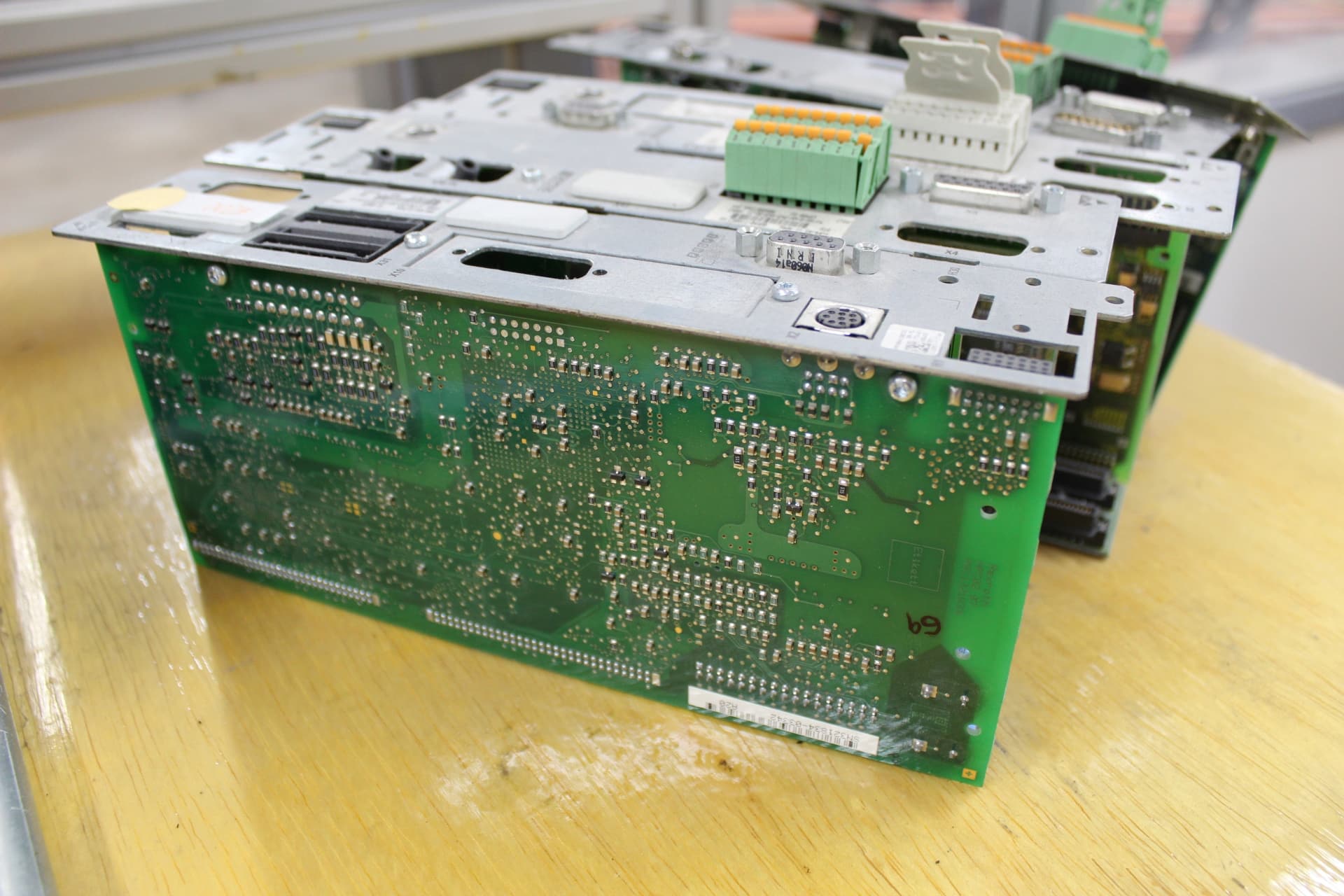
What a type code does
Indramat codes are structured identifiers, but the meaning and position of each field changes by product family. A motor code may encode winding, cooling, feedback, shaft, brake and connector direction. A drive code may identify series, version, current, voltage, command interface, cooling and firmware requirements.
Copy the code exactly as printed—including periods, dashes, slashes and the FW suffix. Then compare the separate material number, revision and installed option labels. Never assume that two units with the same family and current class are interchangeable.
Five-step identification
Identify the MAC, MDD, DDS, DKC, HVE, BTV or other family printed at the beginning.
Periods and the next digits often distinguish generation, series or design status.
Record winding, current, voltage, feedback, command and communication choices exactly.
For motors, include cooling, centering, shaft, brake and connector arrangement.
Compare firmware, option modules, material numbers and real photographs before approving a match.
Family and series directory
Choose the family on the nameplate, then compare the full code and installed options. Call to check stock, condition and compatibility before ordering.
Indramat 2AD asynchronous spindle motors. Choose your frame and motor length, then send the complete type code for a stock check or repair quote.
Open the 2AD family reference →Manufacturer-documented asynchronous main-spindle motors with KDA/CDM drive-system and connection guidance.
Open the 1AD family reference →Liquid-cooled frameless spindle motors, from 1MB140 through 1MB375.
Open the 1MB family reference →Liquid-cooled asynchronous spindle and servo motors grouped by frame, length, winding, feedback, mounting and shaft options.
Open the ADF family reference →IndraDrive Mi distributed servo drives organized by size, winding, encoder, shaft, brake, hybrid connection, communication and connecting-voltage code.
Open the KSM family reference →IndraDyn A asynchronous motors organized by motor family, frame, winding, cooling, feedback, bearing, mounting and shaft code.
Open the MAD / MAF family reference →Application-specific synchronous servo motors that require an exact check of the motor code, approval markings, encoder, shaft and brake.
Open the MKE family reference →Compact synchronous servo motors organized by frame, winding, encoder, shaft, connector and optional holding-brake configuration.
Open the MSM family reference →Legacy analog AC servo motors with configuration-specific winding, cooling, feedback, brake, shaft, connector and encoder options.
Open the MAC family reference →Permanent-magnet digital AC servo motors with model and configuration guides from MDD021A through MDD115D.
Open the MDD family reference →Permanent-magnet servo motors for digital drive systems, organized by exact frame, winding and configuration code.
Open the MHD family reference →Digital synchronous servo motors used throughout machine tools, packaging, printing and handling equipment.
Open the MKD family reference →Modern IndraDyn S synchronous motors organized by complete type code and material number where available.
Open the MSK family reference →Browse the DDC family by documented series, beginning with DDC 1.2 cooling, current, feedback, command, function-code and firmware fields.
Open the DDC family reference →RD500 drive and inverter hardware organized by complete RD code, power class, mains supply, control electronics, options and firmware.
Open the RD500 family reference →ECODRIVE controllers grouped by interface series, design, current class, voltage category and firmware requirement.
Open the DKC / ECODRIVE family reference →DIAX digital intelligent servo drives with configurable feedback, command and software modules.
Open the DDS family reference →High-power digital controllers for servo, spindle and linear-motor applications.
Open the DKR family reference →Integrated digital AC servo drives with multiple interface and firmware arrangements.
Open the DKS family reference →Compact IndraDrive converters grouped by series, current class, mains voltage, control section and firmware.
Open the HCS family reference →DIAX 04 drive controllers whose firmware and configured module stack determine machine compatibility.
Open the HDS family reference →Compact two-axis power sections for modular Bosch Rexroth IndraDrive M systems.
Open the HMD family reference →Single-axis inverter power sections for modular 700 VDC-class IndraDrive M systems.
Open the HMS family reference →Legacy main-spindle drive controllers organized by current class, voltage, cooling, feedback and interface configuration.
Open the KDA family reference →Legacy modular servo amplifiers organized by current class, voltage, cooling and motor-feedback configuration.
Open the KDS family reference →Legacy modular spindle drives for 300 VDC Indramat machine-tool systems.
Open the KDW family reference →High-power spindle controllers for CNC and heavy production machinery.
Open the RAC family reference →Legacy spindle-drive modules organized by current class, DC-bus voltage, cooling and feedback arrangement.
Open the TDA family reference →Modular analog servo amplifiers commonly paired with legacy MAC AC servo motors.
Open the TDM family reference →Air-cooled supply units that create the shared DC bus for DIAX 04 drive systems.
Open the HVE family reference →Regulated DIAX 04 power supplies capable of returning deceleration energy to the mains.
Open the HVR family reference →Legacy modular supplies for shared 300 VDC servo and spindle drive systems.
Open the KDV family reference →Legacy DC-link supplies for modular Indramat AC drive cabinets.
Open the TVD family reference →Legacy power-supply modules for modular AC drive systems, organized by complete series and power designation.
Open the TVM family reference →Regulated regenerative power supplies for modular AC drive systems, led by the manufacturer-documented TVR3.1 series.
Open the TVR family reference →Drive-system mains connection hardware organized by complete module code, current, line voltage, filtering and cabinet configuration.
Open the NAM family reference →Legacy regenerative supplies for modular servo and spindle drive systems.
Open the KVR family reference →Additional modules used to manage braking energy in Bosch Rexroth IndraDrive systems.
Open the HLB family reference →DC-bus energy-storage modules for rapid machine cycles and controlled return motion.
Open the HLC family reference →Feed-in and regenerative supply units for modular Bosch Rexroth IndraDrive M systems.
Open the HMV family reference →Line components that reduce harmonics and support compatible IndraDrive supplies and converters.
Open the HNL family reference →RECO, Inline, Fieldline and related I/O hardware organized by complete module code, bus connection, channel type and revision.
Open the I/O Units family reference →IndraControl L hardware organized by controller family, performance class, interfaces, expansion modules, firmware and application data.
Open the IndraControl L family reference →CDB, CSB and CSH control sections organized by hardware generation, communication, encoder, safety, interface and firmware options.
Open the IndraDrive Controls family reference →BTA, BTM, VAM and related operator panels matched by complete hardware code, key layout, interfaces, cable and machine application.
Open the Operator Panels family reference →Legacy engineering and machine-software references organized by product, version, license, target hardware and recoverable project files.
Open the Systems Software family reference →Legacy transfer-line control equipment organized by complete hardware code, installed modules, interfaces, firmware and machine program.
Open the TRANS family reference →Compact operator panels organized by screen, keypad, communication, memory, firmware, application and complete hardware code.
Open the VCP family reference →Machine operator panels organized by complete hardware code, key layout, cable, interface, emergency-stop circuit and revision.
Open the BTA family reference →Legacy operator-panel hardware matched by full type code, keypad arrangement, display, connection, cable and machine interface.
Open the BTM family reference →IndraControl L controllers organized by performance class, interfaces, expansion modules, storage, firmware and application data.
Open the CML family reference →Advanced IndraDrive control sections organized by hardware generation, communication, encoder, safety, interface and firmware options.
Open the CSH family reference →Browse CDB control sections by documented series, communication, encoder or expansion positions, safety-option field, control panel and firmware.
Open the CDB family reference →Handheld machine panels used for setup, jogging, teaching and maintenance tasks.
Open the BTC family reference →Machine visualization and operator-input terminals with configuration-sensitive memory and interface options.
Open the BTV family reference →Multi-axis positioning controls for coordinated legacy machine motion.
Open the CLM family reference →Motion and logic controls that coordinate drives, I/O and machine sequencing.
Open the CLC family reference →IndraDrive control sections organized by hardware generation, interfaces, safety options and firmware.
Open the CSB family reference →Control hardware for coordinated VisualMotion automation systems.
Open the PPC family reference →Source documents
Planning manuals and type-code sheets explain what the fields meant when the equipment was published. They do not prove the condition, installed firmware or current availability of a physical shelf unit. Litco’s manual library keeps the reference step separate from the final inventory confirmation.
Call 210-680-9570 or email a straight-on nameplate photo to sales@litcoautomation.com.